API-fillable template in seconds
PDF filling over API
For bulk discounts and priority support upgrade to Paid Plan.
Migrate to Anvil






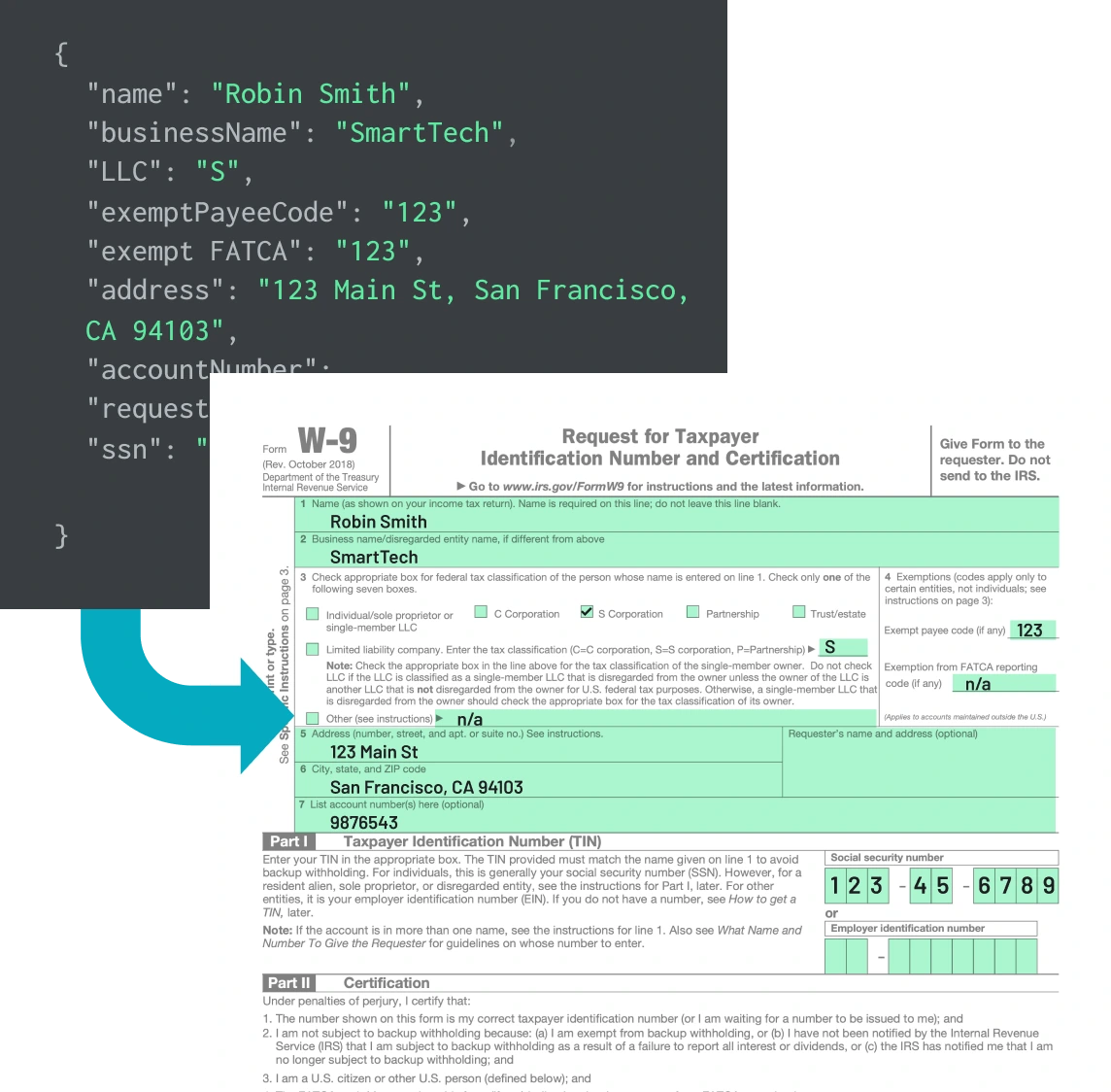
Fill your PDFs in 2 steps:
1. Turn your PDFs or documents into API-fillable templates
2. Fill your PDF templates over API
Turn your PDF into an API-fillable template in seconds.
Integrate your preferred language using Anvil's MCP
Official SDKs in 4 languages. Each one ships with typed models, streaming download support, and a dedicated guide with runnable code for the most common PDF jobs.
import fs from 'fs'
import Anvil from '@anvilco/anvil'

// Your API key from your Anvil organization settings
const apiKey = process.env.ANVIL_API_KEY ?? ''

// A sample PDF template available to any account. See
// https://www.useanvil.com/help/tutorials/set-up-a-pdf-template
// to set up your own
const pdfTemplateID = '05xXsZko33JIO6aq5Pnr'

async function fillPDF () {
  const anvilClient = new Anvil({ apiKey })

  const payload = {
    title: 'My PDF Title',
    fontSize: 10,
    textColor: '#333333',
    // IDs here match the fields configured on the PDF template
    data: {
      shortText: 'Hello World!',
      date: '2024-01-15',
      name: { firstName: 'Robin', mi: 'W', lastName: 'Smith' },
      email: 'testy@example.com',
      phone: { num: '5554443333', region: 'US', baseRegion: 'US' },
      usAddress: {
        street1: '123 Main St #234',
        city: 'San Francisco',
        state: 'CA',
        zip: '94106',
        country: 'US',
      },
      ssn: '456454567',
      ein: '897654321',
      checkbox: true,
      decimalNumber: 12345.67,
      dollar: 123.45,
      integer: 12345,
      percent: 50.3,
      longText: 'Lorem ipsum dolor sit amet, consectetur adipiscing elit.',
    },
  }

  const { statusCode, data, errors } =
    await anvilClient.fillPDF(pdfTemplateID, payload)

  if (statusCode === 200 && data) {
    // `data` is the filled PDF binary; save it with no encoding or the
    // file will be corrupt
    fs.writeFileSync('fill-output.pdf', data, { encoding: null })
    console.log('Filled PDF saved to fill-output.pdf')
  } else {
    console.log(
      'Error filling PDF:', statusCode, JSON.stringify(errors, null, 2)
    )
  }
}

fillPDF().catch((error) => {
  console.error(error)
  process.exit(1)
})
Need more than PDF filling?
Anvil is more than a PDF tool. We specialize in helping product teams build custom paperwork solutions using these building blocks: PDF services, E-signatures, and Webforms.
Anvil Workflows tie all these building blocks together, automating your paperwork and saving your team time and resources.
Book a demo below to discuss solution to your unique use case.
Need more than PDF filling?
Why choose Anvil
Easy to implement
Launch faster
Re-use data
Integrate with 
PDF Filling API FAQs
Yes. Document AI tags flat PDFs by detecting lines and boxes, then the fill API places values at the tagged coordinates.Document AI tags flat PDFs by detecting lines and boxes, then the fill API places values at the tagged coordinates.
Anvil publishes official open-source SDKs for C#/.NET, Python, and Node.js, plus React UI components. The REST and GraphQL APIs are callable from any language.
The Free plan includes dashboard-only PDF filling. API access requires a paid plan, with metered per-fill pricing. See the Pricing page for current rates.
Yes. Anvil's casts language supports conditional logic in templates, and conditional rendering is available across Workflows and the PDF Filling API.
Yes. Anvil is SOC 2 Type II certified and fully HIPAA-compliant across the platform, including the PDF Filling API. Business Associate Agreements (BAAs) are available for organizations handling protected health information. See Anvil's security and compliance page for the full list.
Start building with Anvil
Secure, compliant, reliable
Anvil uses digital certificates, specifically the industry-standard Public Key Infrastructure (PKI) framework, for identity verification in document signing. This involves creating a pair of certificates – public and private. Read more